Marymount Manhattan College Dining
  • HOME
  • EMPLOYMENT
  • Grubhub
  • Nutrition
    • Resources
  • Catering
  • Contact
  • HOME
  • EMPLOYMENT
  • Grubhub
  • Nutrition
    • Resources
  • Catering
  • Contact

​Carry-Out Ordering with Grubhub

Marymount Manhattan College Dining has partnered with Grubhub so you can order ahead and pick up your food between classes or on your way to your next meeting. Grubhub online ordering is available at select dining locations on campus:
  • Fourth Floor Cafe
  • We Proudly Serve Starbucks
Save time and skip the line!​
ON A MOBILE DEVICE? CLICK HERE.
SETTING UP GRUBHUB
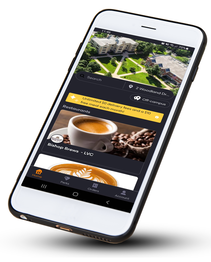
  1. Download the Grubhub app & sign up
  2. Go to My Grubhub > Settings > Campus Dining
  3. Confirm your campus & add your OneCard to have your dining dollars connected to your account 
  4. Browse restaurants on campus and start ordering pickup!
HOW DO I PAY?
Grubhub offers two ways of payment: Dining Dollars and credit card.
Once you are in the Grubhub app, the app will have you choose between Fourth Floor Cafe and We Proudly Starbucks for ordering.  
KNOW BEFORE YOU GO
  • When it's time to pick up your order, just look for the Grubhub pick up signs
  • Before you submit an order, check wait times at the location to be sure you can be there when your order is completed. Unclaimed orders with a receipt time that is 2 hours old are not safe to consume and will be thrown out. We will not reheat, remake, or refund the cost of that order.
Picture

Support

Allergies
Contact
 © 2025 Marymount Manhattan College Dining Services
Privacy Policy
  • HOME
  • EMPLOYMENT
  • Grubhub
  • Nutrition
    • Resources
  • Catering
  • Contact